Best Langua alternative: learn from your own videos
You understand more than you can say. Spark turns what you watch and read into words you can use.
The verdict in 30 seconds
Langua is the better pick for speaking out loud, with replies in voices cloned from native speakers and a hands-free call mode.
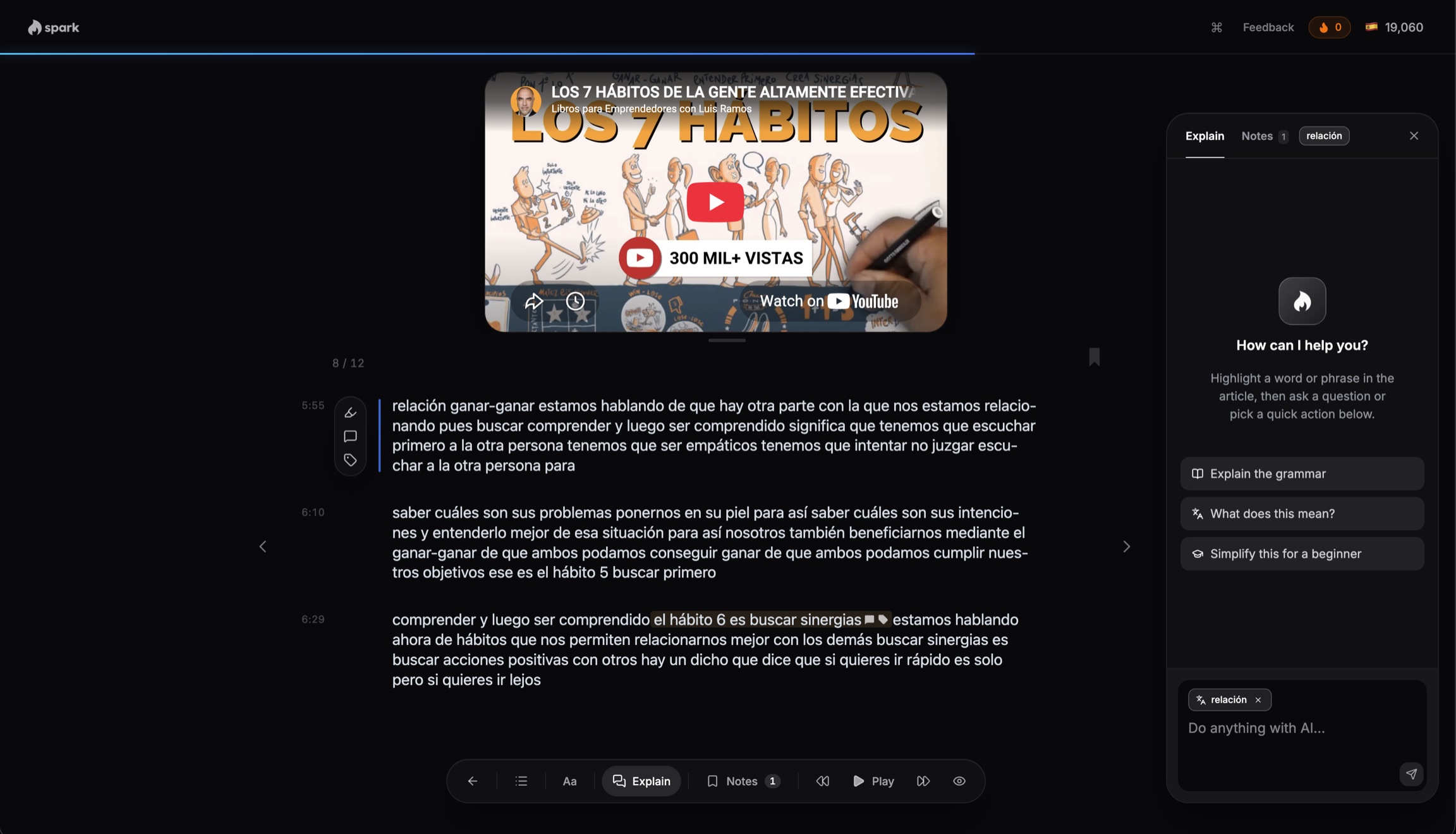
Spark suits you if you learn from YouTube videos, articles and books, and want to see which words you know.
- Each word shows as new, unknown or known; known words count as passive or active.NewUnknownKnown
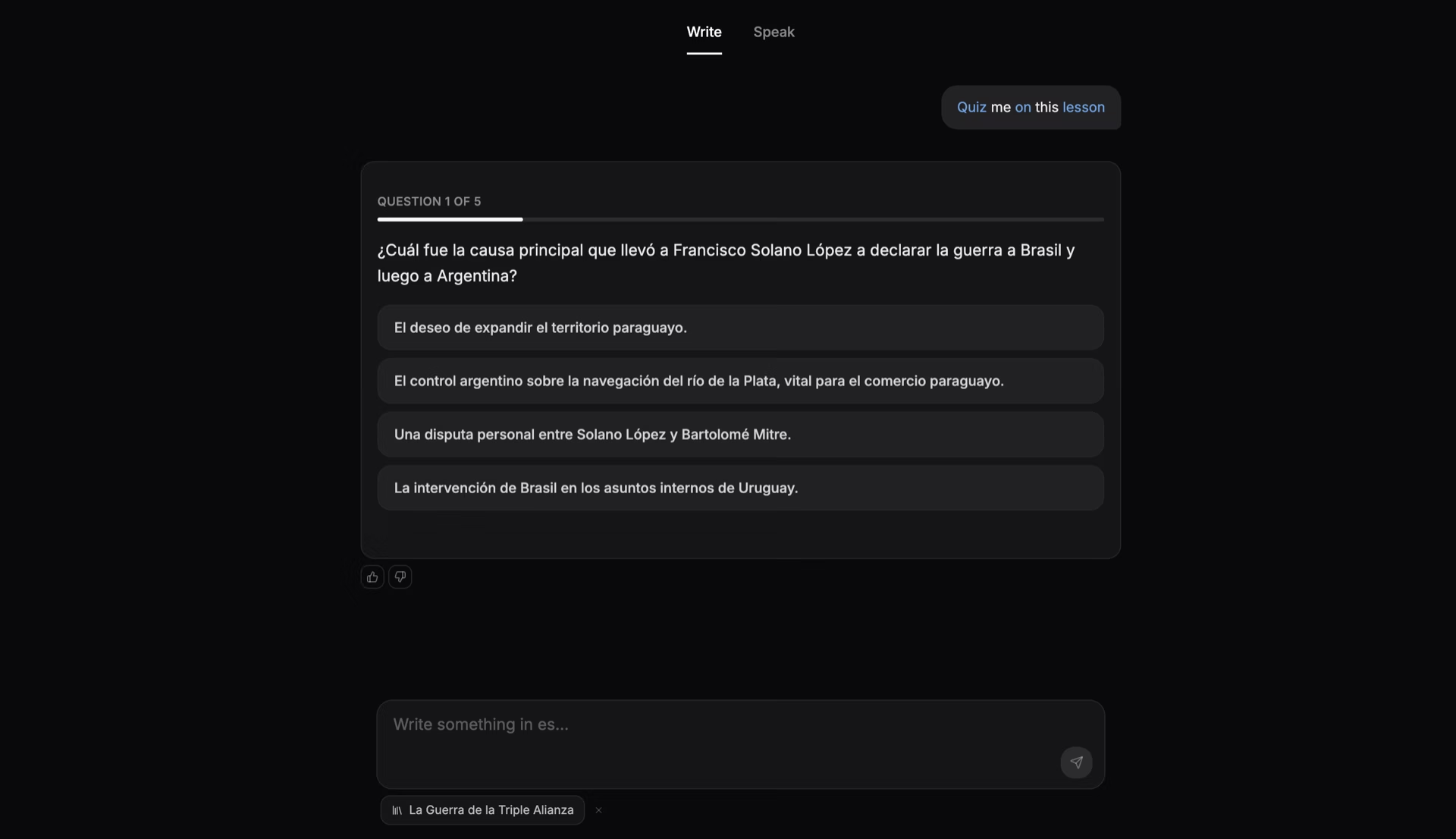
- You type or speak in Spark's chat; it replies in text for now.
- Langua adds role-plays, debates, five correction modes and phone apps.
Spark and Langua, side by side
| Feature | Spark | Langua |
|---|---|---|
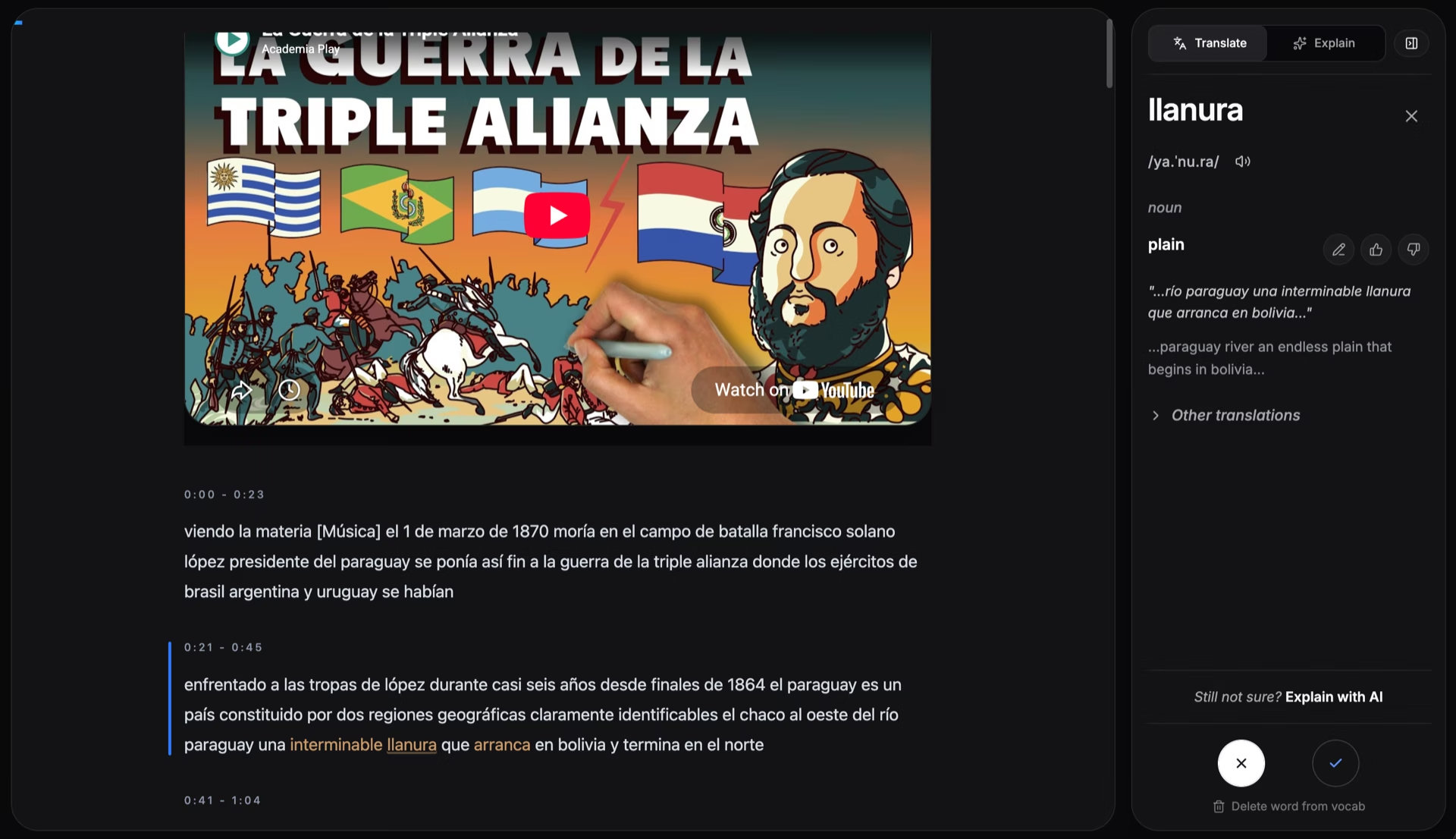
| Import YouTube videos | Yes. The transcript follows the video, every word tappable | No1. It offers its own YouTube picks, sorted by level |
| Speaking out loud | Partly: You type or speak; replies in text for now | Yes: Native-speaker voices, hands-free call mode, role-plays and debates |
| Word tracking | Yes: New, unknown or known as you read; known split passive or activeNewUnknownKnown | No2. Flashcards you grade: didn't know, guessed, knew it |
| Your own files | Yes: Web pages, PDFs, and EPUB books split into chapters | Partly: Text, articles, audio; PDF and Word on iOS. EPUB: No2 |
| Languages | Yes: 17 languages | Yes: 23, by its help center's count |
| Price | Yes: Free plan: Yes. Core $14.99/mo after a 7-day trial, no card | Partly: Free plan: Yes, limited3. Standard $19.99/mo |
 Spark
- 1Langua's help on importing (November 2024) says YouTube import is currently not possible; nothing newer found, November 2026.
- 2Not found on Langua's own pages, November 2026. It has saved words and self-graded flashcards; we found no record of words you know, and no EPUB import.
- 3Free version: 3 minutes of calls a day, about 20 chat messages a week. Standard is listed at $19.99 a month or $149.99 a year (languatalk.com, US, November 2026). Same prices as Communicate (US App Store, November 2026).
How Spark works
Any YouTube video becomes a Spanish lesson
Who should pick which
Pick Spark if
- You want to import a YouTube video
- You want to see which words you know
- You read whole books, chapter by chapter
- You want review cards from your reading
Pick Langua if
- You want replies in a native speaker's voice
- You want hands-free practice, like a call
- You want role-plays, debates and chat reports
- You learn mostly in a phone app
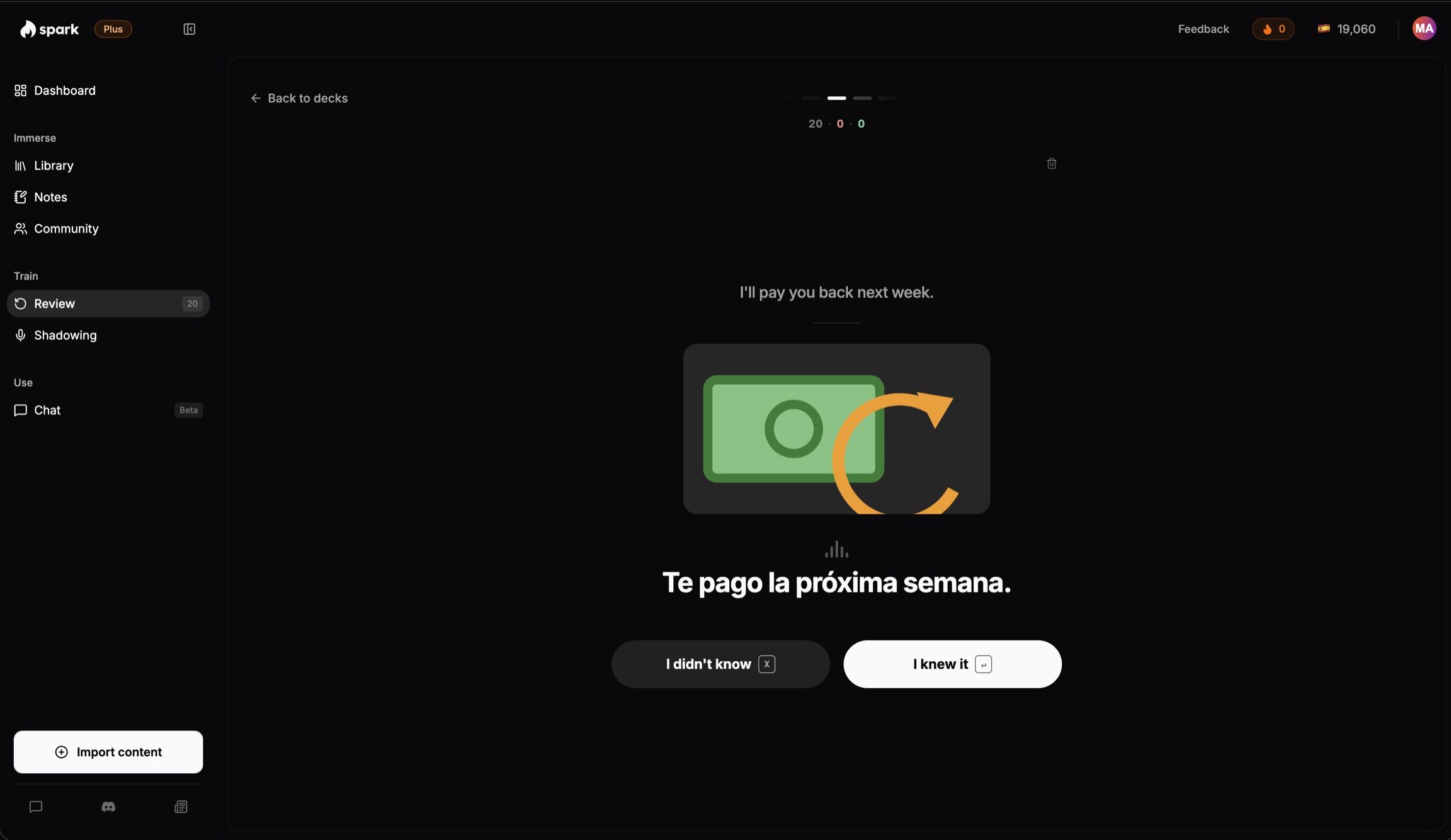
Cards from the sentences you met
Every word you tap becomes a review card built from its sentence, and the words you skip count as known.
Where Langua wins
- Native-speaker voices.Langua replies in voices cloned from real native speakers, and its call mode is hands-free.
- Corrections your way.Five correction modes, from text corrections to being asked to repeat, plus a feedback report after a chat.
- Apps, 23 languages.Langua runs on the web and in iOS and Android apps, and its help center lists 23 languages.
Questions people ask
- Langua vs Spark: which should I pick?
- Pick Langua to speak out loud and hear a spoken reply. Pick Spark to read along with YouTube videos, articles and books, see which words you know, and chat about each piece.
- Is Langua worth it?
- Yes, if speaking out loud is your goal, since that is what it is built around. Try its free version first. If you mostly learn from your own videos and books, a reader like Spark fits better.
- Can I import YouTube videos into Langua?
- Not as of November 2026. Langua's help on importing (November 2024) says it is currently not possible, and we found nothing newer. It offers its own YouTube picks by level. Spark imports YouTube videos with its Chrome extension. Source: Langua's help article.
- Does Spark speak its replies?
- No. You type or say your side of the chat, and Spark replies in writing, with corrections. For an AI that answers out loud, Langua does that.
- Is Langua free?
- Partly. Its free version gives you 3 minutes of call mode a day and about 20 chat messages a week; its trial needs a card. Spark has a free plan and a 7-day Core trial, no card.
Bring in a YouTube video you like
Read along with its transcript, tap only the words you do not know, then chat about it.
Try Spark freeFree to start. No card needed.
More on Spark and Langua
Where Spark is different from Langua
- YouTube videos you pick. Click the Chrome extension on a YouTube video and it opens in Spark with a transcript that follows along, every word tappable. Langua's help article on importing (November 2024) says importing YouTube videos is currently not possible, and we found nothing newer as of November 2026. For most languages, Langua offers its own YouTube videos, sorted by level.
- Every word, not only saved ones. As you read, Spark colors every word new, unknown or known, and splits known words into passive (you recognize them) and active (you can use them). A word turns active when you type it correctly without help, use it on your own in a chat, or still know it 7 days later. In Langua we found saved words and flashcards you grade as didn't know, guessed or knew it, and nothing that tracks which words you already know.
- Whole books, by chapter. Spark opens a PDF up to 25 MB or an EPUB as a book split into chapters. Langua imports pasted text, articles through its Chrome extension and audio, and its iOS app has imported PDFs, Word documents and photos of pages since August 2026. We did not find EPUB or ebook import.
- Both chat about your content. This is not a difference any more. Since July 2026, Langua's app lets you discuss imported text, audio and podcasts with its AI. In Spark you chat about the piece you just read, and every message is corrected. You type or speak; Spark answers in text for now.
Switching from Langua
- You start from zero. Nothing imports from Langua, so your saved words and flashcards stay there; Spark's only vocabulary import is from LingQ.
- Pick the language you are learning and answer a few short questions, including the topics you like and your level. Your dashboard then suggests up to three short articles, or you can bring in your own with the Chrome extension.
- What Langua taught you still counts. Tap only the words you do not know; the rest count as known when you move on.
Other apps like Langua
- The Speak app: speaking out loud with an AI, inside a set course
- Praktika: talking with an AI avatar tutor, in 14 languages
- Duolingo: a short daily lesson that builds a habit
- LingQ: the widest range of sources and languages
More questions
- Langua vs Speak: which is better?
- Both are for speaking out loud with an AI. The Speak app is a phone course with spoken role-play in Free Talk, paid after a 7-day trial; Premium starts at $17.99 a month on the US App Store. Langua is open conversation on the web, iOS and Android, with a free version; Standard is $19.99 a month. More in our Speak app comparison.
- Langua vs Praktika: which is better?
- Both are for speaking out loud with an AI, and both have a free version. Praktika has animated avatar tutors and 14 languages at every level on one plan, in phone apps; Premium is $9.99 for 1 month on the US App Store. Langua uses voices cloned from native speakers, has a hands-free call mode, and also runs on the web. More in our Praktika comparison.
- How much does Langua cost?
- Standard is $19.99 a month or $149.99 a year, and Unlimited is $29.99 a month or $199.99 a year (US prices on languatalk.com and the US App Store, November 2026). The App Store calls Standard "Communicate" and also lists 3-month plans: $49.99 for Standard and $69.99 for Unlimited. Standard allows up to 75 messages and 30 minutes of call time a day. The free trial needs a card: 5 days on a monthly plan, 7 on an annual one. Langua offers a 30-day money-back guarantee on web subscriptions, not the App Store. Spark Core is $14.99 a month or $149 a year. Source: Langua's pricing help.
- Is Langua the same as LanguaTalk?
- Langua is the AI tutor made by LanguaTalk. LanguaTalk also runs a site where you book lessons with human tutors. This page compares Spark with Langua, the AI app.
- What's the best app for learning from YouTube videos I choose?
- Spark, if you want to pick the video yourself. Save it with the Chrome extension, and its captions become a transcript that follows the video, with every word tappable. Spark then tracks which of those words you know. More in our Parrot comparison.
- Does Langua work for beginners?
- Yes. Langua has a guided conversation course for A1 and A2. Spark works best once you can read simple real content; if you are brand new, it starts you on short stories written at your level.
- Can I use Spark and Langua together?
- Yes. Watch or read something in Spark, tap the words you do not know, and review them the next day. Then take the same topic into a spoken chat in Langua, where you say it out loud and hear a reply. Nothing moves between the two apps.
- Does Spark work on my phone?
- Yes. The whole app works in your phone's browser, and pages turn with a swipe. Saving web pages and YouTube videos in one click uses the Chrome extension. Langua has iOS and Android apps.
- How much does Spark cost?
- Free to start. Every new account gets a 7-day trial of Core with no card. After that, Core is $14.99 a month or $149 a year, and Plus is $29.99 a month or $299 a year.
Facts about Langua (by LanguaTalk) last checked November 2026. Sources below.
Sources
Facts about other products were checked on their own websites and app store listings in November 2026. Prices and features change. If something here is out of date, tell us at matt@learnwithspark.io and we will fix it.
Langua
- Langua home page (languatalk.com/langua), checked November 2026
- Try Langua page with plans and prices, checked November 2026
- Langua help: free vs Pro versions and plan limits, checked November 2026
- Langua help: how much does Langua cost, checked November 2026
- Langua help: limits on the Communicate plan, checked November 2026
- Langua help: which languages you can learn, checked November 2026
- Langua help: learning content and importing (Nov 2024), checked November 2026
- Langua help: latest updates (changelog), checked November 2026
- Langua help: how mistakes are corrected, checked November 2026
- Langua help: how the flashcards work, checked November 2026
- Langua on the US App Store, checked November 2026
- Langua on the Chrome Web Store, checked November 2026
Speak
- Speak home page, checked November 2026
- Speak help: Free Talk immersive role-play, checked November 2026
- Speak help: is a free trial available, checked November 2026
- Speak on the US App Store, checked November 2026
Praktika
- Praktika help: gen AI avatar tutors, checked November 2026
- Praktika help: languages included in the subscription, checked November 2026
- Praktika help: is there a free version, checked November 2026
- Praktika help: phone, tablet and laptop, checked November 2026
- Praktika on the US App Store (in-app purchases, uploads, Flashcards, IELTS and TOEFL prep), checked November 2026
Duolingo, LingQ
- Duolingo on the US App Store, checked November 2026
- LingQ plans, prices and free-plan limits (lingq.com/en/signup), checked November 2026