Best Migaku alternative: use the words you save
You understand more than you can say. Spark turns the words you save into words you can use.
The verdict in 30 seconds
Migaku is the better pick for learning from Netflix and other streaming sites, with one-click flashcards and Anki.
Spark suits people who want the words they save to become words they can use.
- Spark colors every word as you read, much as Migaku's word statuses do.NewUnknownKnown
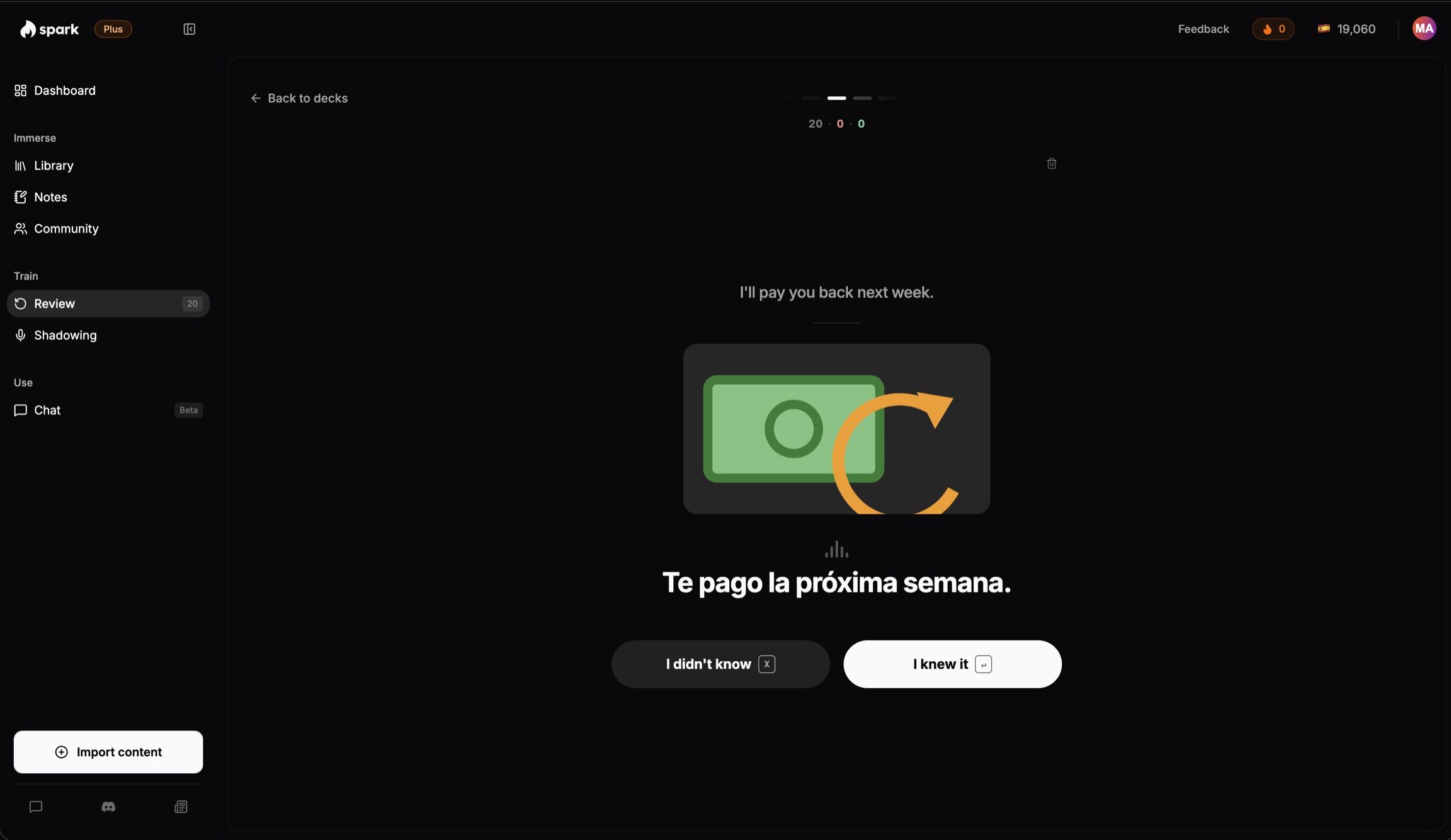
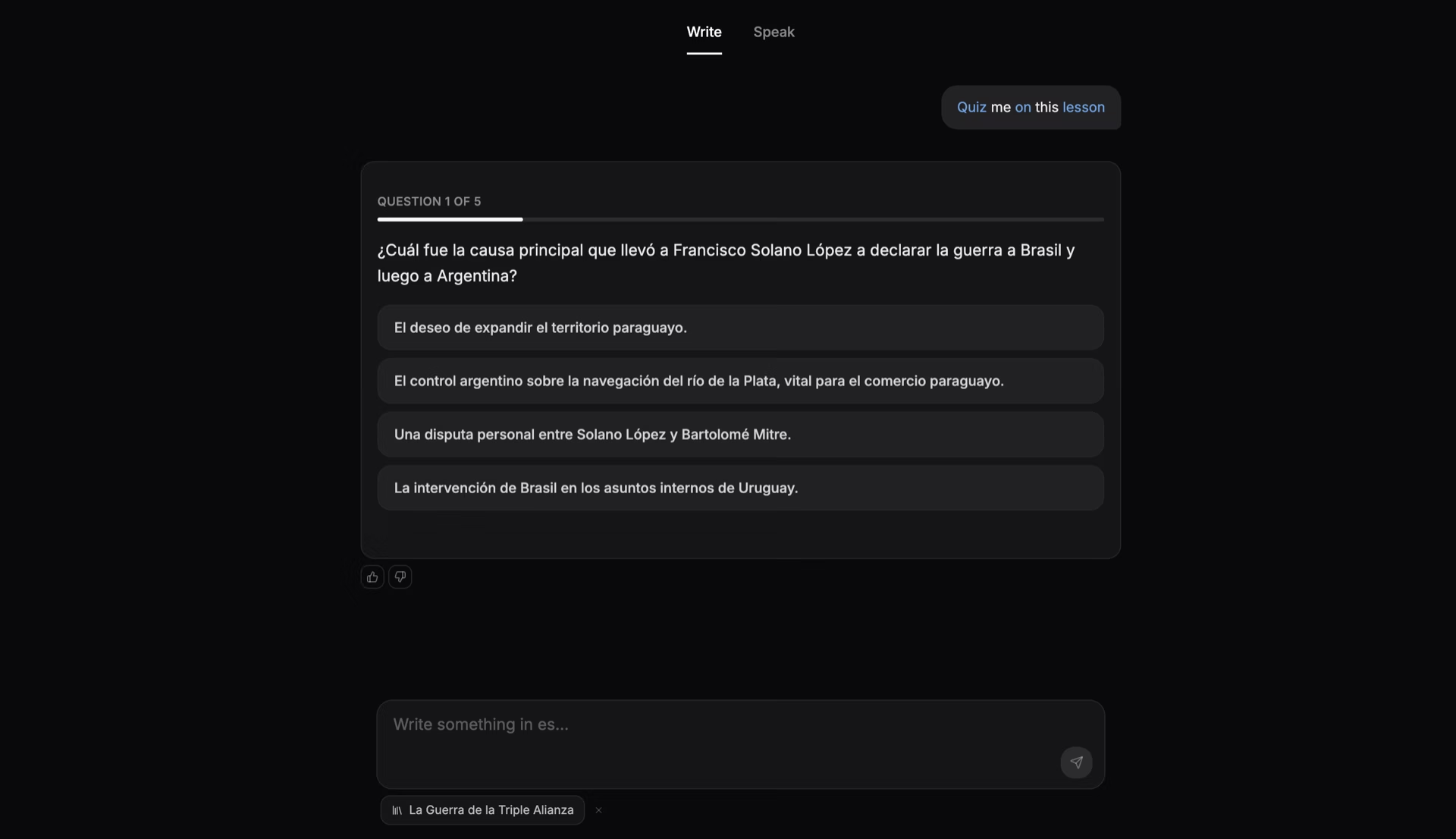
- After a piece you chat about it, typing or speaking. Spark replies in text for now.
- Migaku is stronger on Anki, beginner courses and phone apps.
Spark and Migaku, side by side
| Feature | Spark | Migaku |
|---|---|---|
| Netflix and streaming sites | No. It works with YouTube, web pages, PDFs and EPUBs | Yes: Netflix, Disney+, Rakuten Viki, Bilibili, iQIYI and YouTube |
| YouTube videos you choose | Yes: The transcript follows the video, every word tappable | Yes: Clickable subtitles in Chrome and in its phone apps |
| Flashcards | Yes: Made for you from the sentence you met the word in | Yes: One click: sentence, audio and a screenshot. Anki import and export |
| Known words you can use | Yes: Known words split passive (you recognize) or active (you use) | Partly: Five statuses, Unknown to Known, and a comprehension score |
| Chat to use your words | Yes: Chat about each piece; type or speak. Replies in text for now | No1. Its FAQ says speaking features are not there yet |
| Price | Yes: Free plan: Yes. Core $14.99/mo after a 7-day trial, no card | Partly: Free plan: No. Standard $10/mo2 |
 Spark
- 1Not found on Migaku's own pages, November 2026. We found no AI chat or tutor.
- 2Migaku Standard is listed at $10 a month or $96 a year (migaku.com, US, November 2026). Early Access is $15 a month or $144 a year, and every plan has a 10-day money-back guarantee. Its iPhone app lists higher prices (US App Store, November 2026).
How Spark works
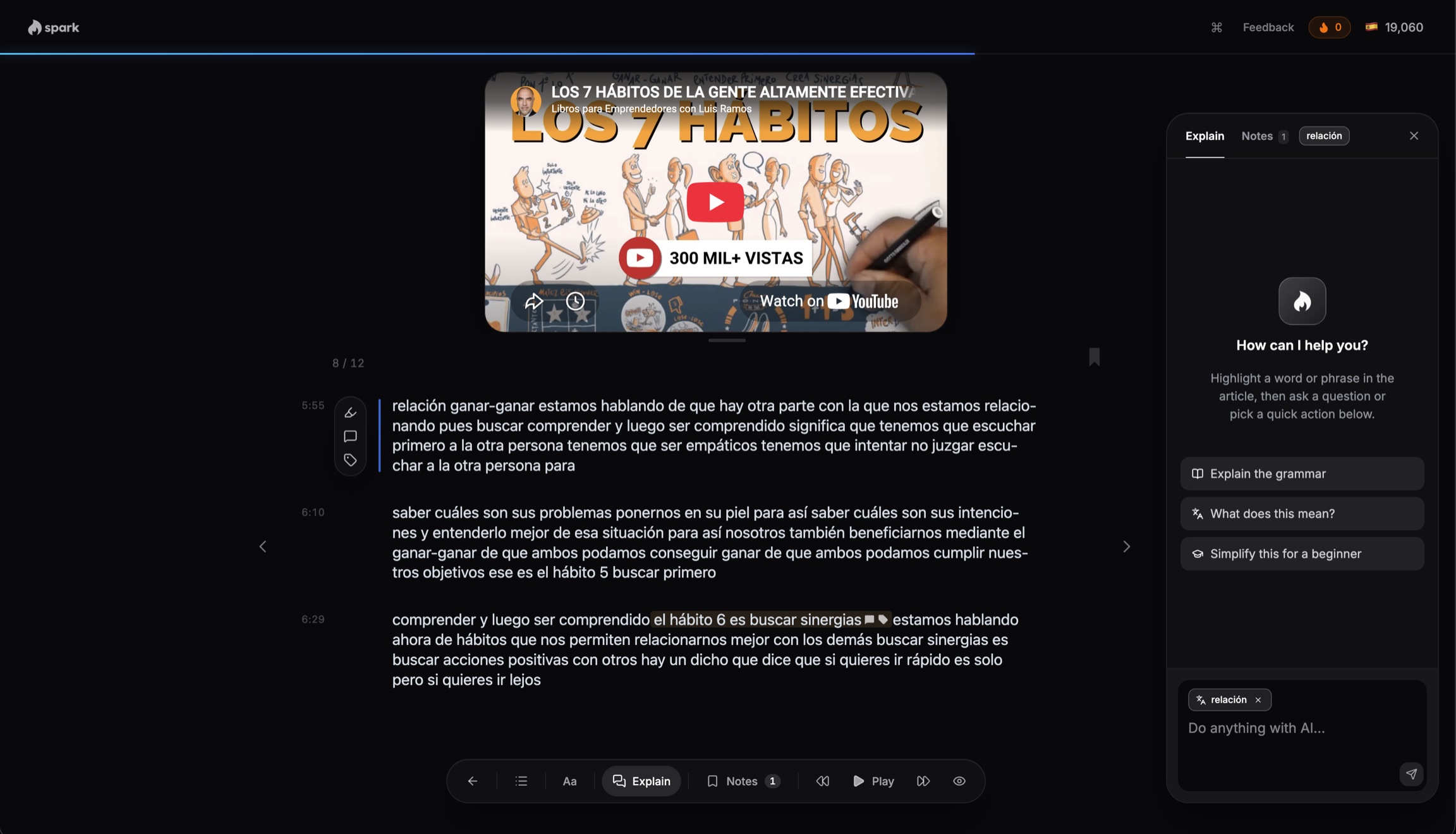
Any YouTube video becomes a Spanish lesson
Who should pick which
Pick Spark if
- You want to use the words you save
- You want a chat about each piece
- You read PDFs and want them in chapters
- You want a free plan to start
Pick Migaku if
- You learn from Netflix, Disney+ or Viki
- You use Anki and want one-click cards
- You start Japanese, Mandarin or Korean from zero
- You want phone apps with offline review
See which saved words you can use
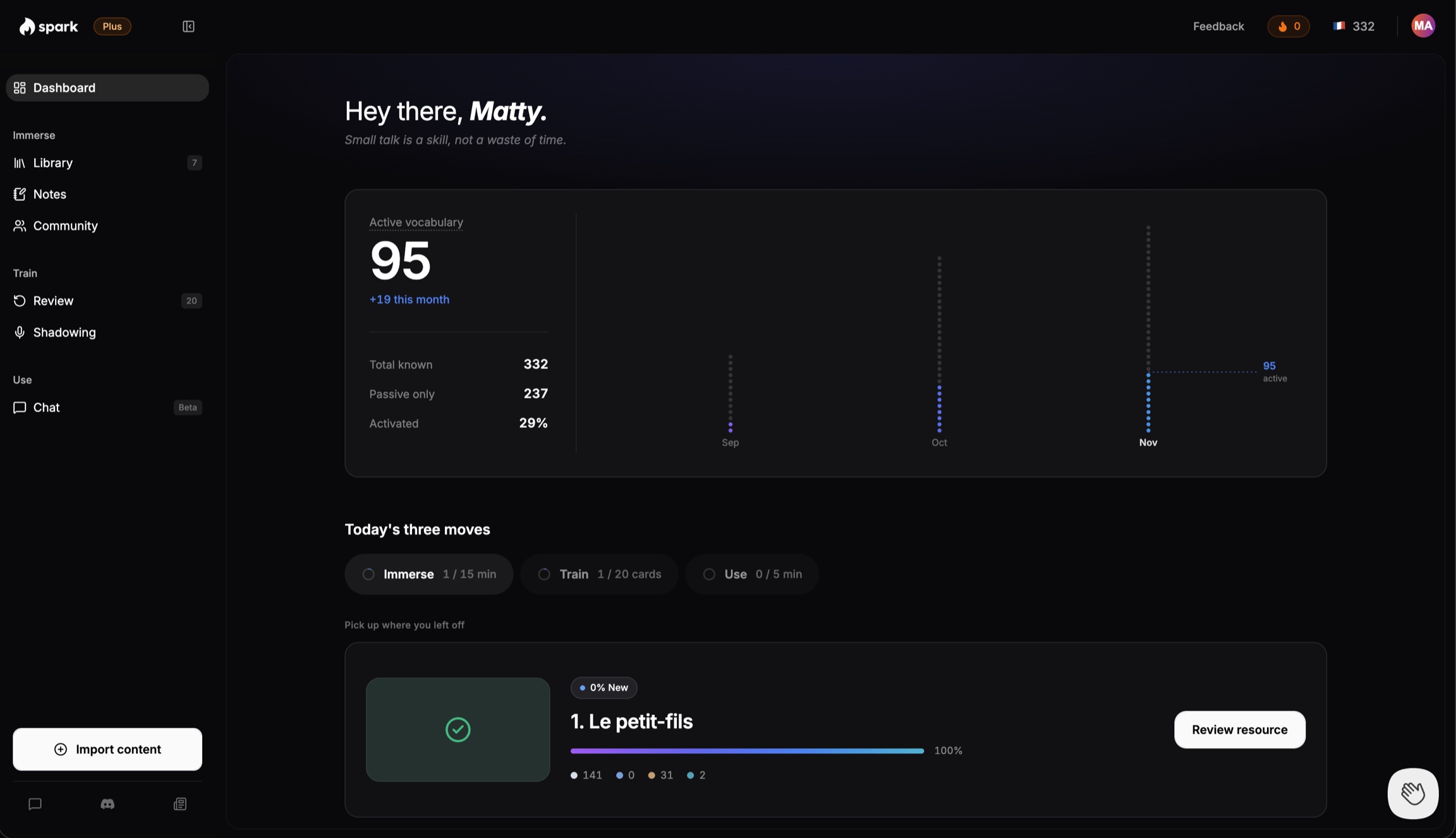
A word you saved counts as active only once you type it without help, use it in a chat, or still know it a week later.
Where Migaku wins
- Netflix and more.Its Chrome extension makes subtitles clickable on Netflix, Disney+, Rakuten Viki, Bilibili, iQIYI and YouTube, and its phone apps play YouTube and podcasts.
- One-click cards, Anki.One click makes a card with the sentence, audio and a screenshot of your show, and decks move in and out of Anki.
- Courses, apps, price.It has beginner courses in Japanese, Mandarin and Korean, iPhone and Android apps with offline review, and a lower monthly price.
Questions people ask
- Migaku vs Spark: which should I pick?
- Pick Migaku to learn from Netflix and other streaming sites and make cards in one click. Pick Spark to read and watch what you bring in, then use its words in a chat about each piece.
- Is Migaku worth it?
- Yes, if you learn from streaming sites, use Anki, or are starting Japanese, Mandarin or Korean. Standard is $10 a month on its US site, less than Spark Core's $14.99. It has no chat for using your words.
- Is Migaku free?
- No. Migaku has no free plan. Its website offers a 10-day money-back guarantee on every plan instead. Spark has a free plan and a 7-day Core trial, no card.
- Does Migaku have speaking practice?
- No, in its own words. Migaku's FAQ says: "Migaku does not (yet!) include features intended to help you develop your ability to speak another language." We found no AI chat or tutor either. Source: Migaku's FAQ.
- Does Spark work with Netflix?
- No. Spark works with YouTube videos, web pages, PDFs, EPUBs, audio and video files you bring in. For Netflix, Migaku or Language Reactor is the better tool. Our Language Reactor comparison.
See which of your words you can use
Bring in a YouTube video or an article, tap the words you miss, then chat about it.
Try Spark freeFree to start. No card needed.
More on Spark and Migaku
Where Spark is different from Migaku
- Words you can use, not only know. Migaku gives every word one of five statuses, Unknown, Learning, Known, Ignored and Tracked, and scores how much of a page, video or book you will understand. Spark splits known words into passive (you recognize them) and active (you can use them), and a word only turns active when you type it correctly without help, use it on your own in a chat, or still know it 7 days later.
- A chat about each piece. After a piece, you chat about it in the language you are learning, and Spark corrects every message, with a more natural way to say it. You type or speak; Spark answers in text for now. Migaku's AI explains words and sentences, but its FAQ says it has no speaking features yet, and we found no AI chat or tutor.
- Ebooks are not a difference now. Since May 2026, Migaku's Reader opens EPUB, HTML, TXT and RTF files in Chrome and its iPhone and Android apps, with a comprehension score for each book. PDF is not in its Reader list. Spark opens a PDF up to 25 MB or an EPUB as a book split into chapters.
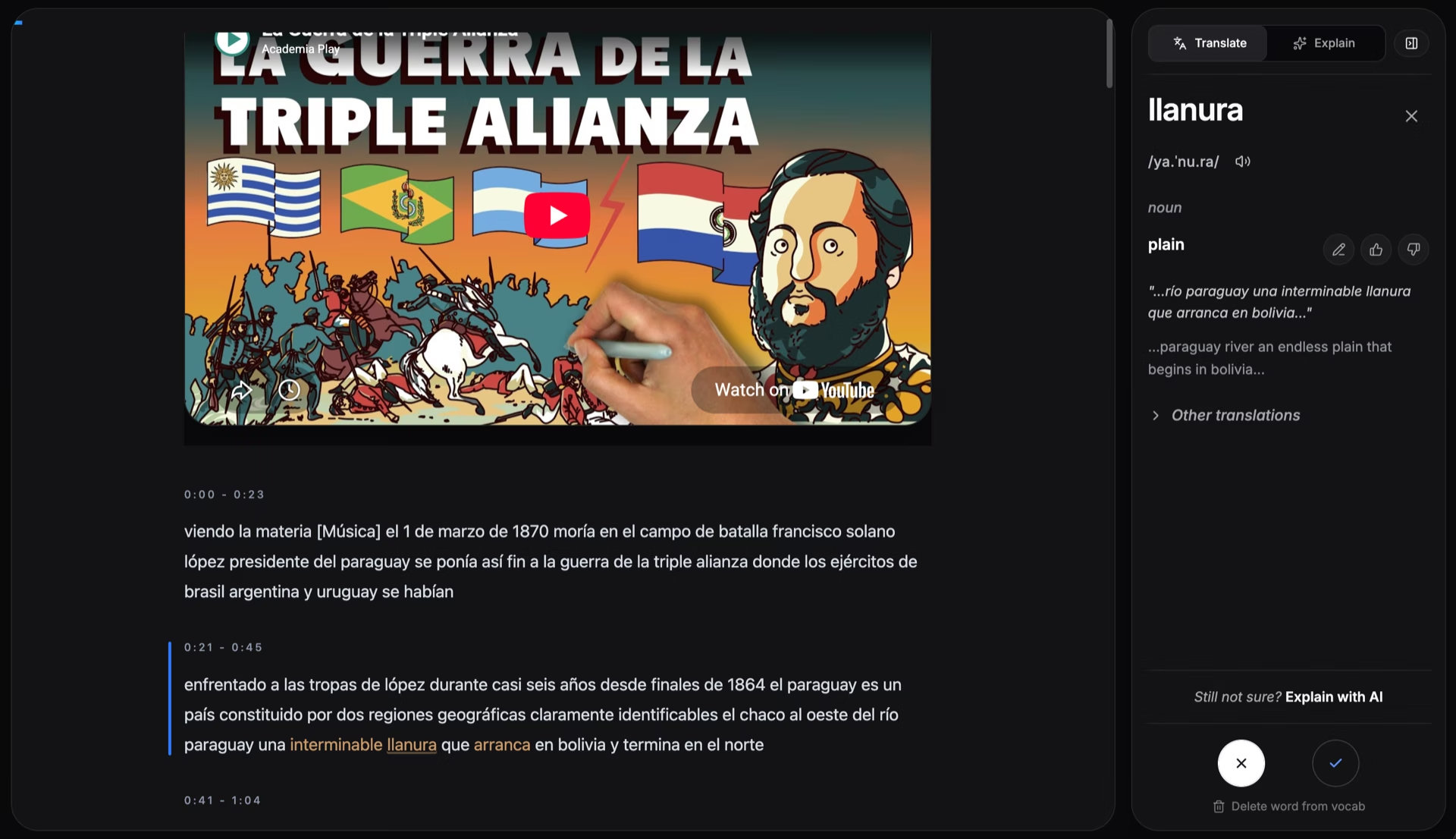
- YouTube, not Netflix. Click the Spark Chrome extension on a YouTube video and it opens with a transcript that follows along. Spark does not work on Netflix, Disney+ or other streaming sites; that is where Migaku is the tool to use.
- Languages. Spark covers 17 languages; Migaku's site lists 11. Migaku has more for Japanese, Mandarin and Korean, with beginner courses in those three and a kanji course for Japanese.
Switching from Migaku
- You start from zero. Nothing imports from Migaku or Anki, so your cards and word statuses stay in Migaku, which can export cards to Anki. Spark's only vocabulary import is from LingQ.
- Pick the language you are learning and answer a few short questions, including the topics you like and your level. Your dashboard then suggests up to three short articles, or you can bring in your own with the Chrome extension.
- Your YouTube habit carries over. Click the Spark extension on a video you would have watched with Migaku, and it opens in Spark with its transcript.
- What Migaku taught you still counts. Tap only the words you do not know; the rest count as known when you move on.
Other apps like Migaku
- Language Reactor: watching Netflix and YouTube with two sets of subtitles
- LingQ: the widest range of sources and languages
- Readlang: low-cost reading help on any website
- Parrot: short Spanish clips picked for you; our Parrot comparison also covers learning from YouTube videos you choose
- Lingopie: learning from TV shows and movies in its own library
More questions
- Migaku vs Language Reactor: which is better?
- They do different jobs. Language Reactor is a Chrome extension that adds two sets of subtitles, a pop-up dictionary and playback controls to Netflix and YouTube, and its extension is free. Migaku makes subtitles clickable on more streaming sites, turns words into flashcards and tracks the words you know, with no free plan. Spark is for what comes after: keeping the words you meet, then a chat about the piece. More in our Language Reactor comparison.
- Migaku vs LingQ: which is better?
- It depends on how you take in the language. LingQ is a reader and lesson library in 50+ languages, with a free plan that saves 20 words. Migaku is strongest on streaming video and one-click flashcards, in 11 languages, with no free plan. Both open ebooks and both track the words you know. More in our LingQ comparison.
- How much does Migaku cost?
- On its website, in the US (November 2026), Standard is $10 a month or $96 a year, Early Access is $15 a month or $144 a year, and Lifetime is $499, paid once. Early Access gets new features as soon as they are usable. Every plan has a 10-day money-back guarantee, and Migaku's FAQ says its prices will periodically increase. Its iPhone app lists higher prices. Spark Core is $14.99 a month or $149 a year, so Migaku Standard costs less either way. Source: Migaku's pricing page.
- Can I bring my Anki or Migaku cards to Spark?
- No. Nothing imports from Migaku or Anki into Spark; Spark's only vocabulary import is from LingQ. Your Migaku cards stay in Migaku, which can export them to Anki. In Spark, the words you do not tap count as known when you move on, so it learns what you know as you read.
- I watch a lot of Spanish Netflix but still can't speak. What app helps?
- One that has you use the words, not only meet them. Spark does not work on Netflix, but you can bring in a YouTube video, an article or a book on the same topic, tap the words you missed, then chat about it, typing or speaking your replies. Spark replies in text for now. Migaku's FAQ says it has no speaking features yet.
- Is Migaku worth it if I mainly want to learn Spanish, not Japanese?
- It can be, for Spanish from Netflix and YouTube with one-click cards. Its beginner courses, Fundamentals and Academy, are for Japanese, Mandarin and Korean; for Spanish we found a vocabulary course only. Spark's most developed languages are Spanish, French, Italian, German, Portuguese and English.
- Can I use Spark and Migaku together?
- Yes. Watch Netflix with Migaku and make cards there. Bring the YouTube videos, articles and books you want to work on into Spark, then chat about each one, typing or speaking your replies; Spark replies in text. Nothing moves between the two apps.
- Does Spark work on my phone?
- Yes. The whole app works in your phone's browser, and pages turn with a swipe. Saving web pages and YouTube videos in one click uses the Chrome extension. Migaku has iPhone and Android apps, with offline review.
- How much does Spark cost?
- Free to start. Every new account gets a 7-day trial of Core with no card. After that, Core is $14.99 a month or $149 a year, and Plus is $29.99 a month or $299 a year.
Facts about Migaku last checked November 2026. Sources below.
Sources
Facts about other products were checked on their own websites and app store listings in November 2026. Prices and features change. If something here is out of date, tell us at matt@learnwithspark.io and we will fix it.
Migaku
- Migaku home page, checked November 2026
- Migaku pricing page (US prices, November 2026), checked November 2026
- Migaku FAQ: Getting Started (platforms, plans, video sources), checked November 2026
- Migaku FAQ: Migaku for Specific Goals (speaking, comprehension score), checked November 2026
- Migaku FAQ: Features (one-click flashcards), checked November 2026
- Migaku FAQ: Account & Billing (cancel, refund within 10 days), checked November 2026
- Migaku FAQ: Migaku Courses, checked November 2026
- Migaku changelog (Reader for EPUB, May 2026; Bilibili and iQIYI, April 2026; podcasts, July 2026), checked November 2026
- Migaku: Really Learn Languages, Chrome Web Store, checked November 2026
- Migaku on the US App Store, checked November 2026
- Migaku on Google Play, checked November 2026
Language Reactor
- Language Reactor on the Chrome Web Store, checked November 2026
LingQ
- LingQ plans, prices and free-plan limits (lingq.com/en/signup), checked November 2026
- LingQ: 53 languages, checked November 2026
- LingQ home page: import sources and FAQ, checked November 2026
Lingopie
- Lingopie home page, checked November 2026